
Check your data usage
You can now check out your data usage history on the SmartNas app
Data Types
Choose to view data usage by All Data, 5G, or 4G & Other usage.
Data Time-frame Selection
Select a time-frame (daily or weekly) for which to view data usage.
Data Period-Based Viewing
View data from a specific past period.
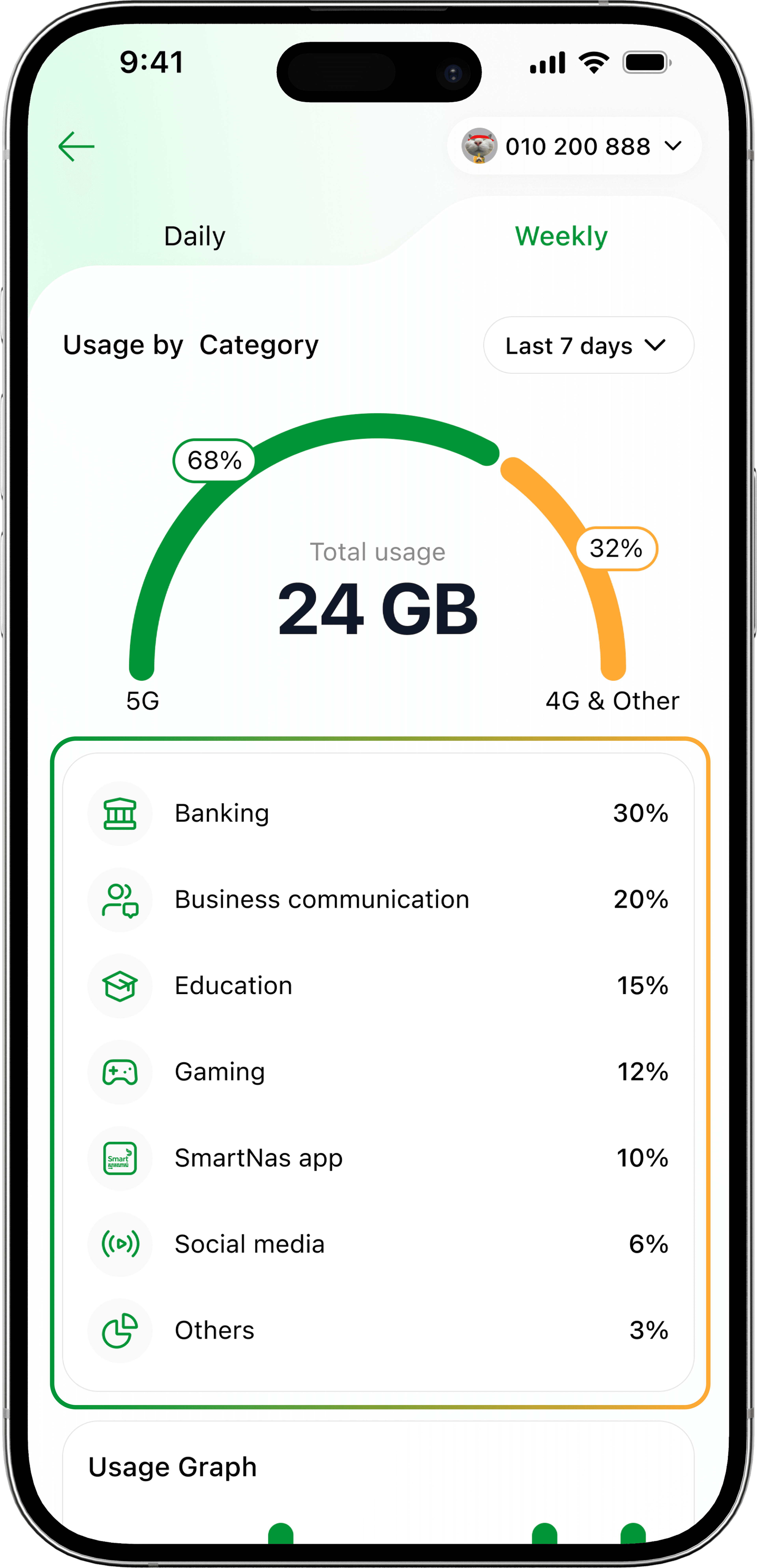
Data Consumption Display
The total 5G and 4G & Other usage data consumption within a selected time-frame is displayed.
Data Categories
There are 8 data categories:
- Banking
- Business communication
- Education
- Gaming
- SmartNas app
- Social media
- Streaming
- Other
*Only 5 categories will be displayed; the top 4 categories in which the most data was used will be displayed, while all other data usage will be grouped into the “Other” category.
Bar Graph
The bar graph is displayed when the “Weekly” filter is selected.
- The data displayed will be as per the selected range.
- The green bars represent 5G data usage.
- The yellow bars represent 4G data and any other network generation data usage.
When a specific date is selected, it will show a summary of 4G and 5G data consumption.
Data Types
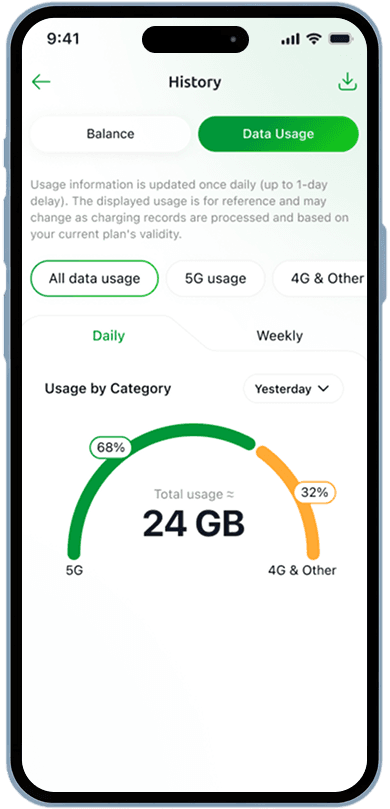
Choose to view data usage by All Data, 5G, or 4G & Other usage.
Data Time-frame Selection
Select a time-frame (daily or weekly) for which to view data usage.
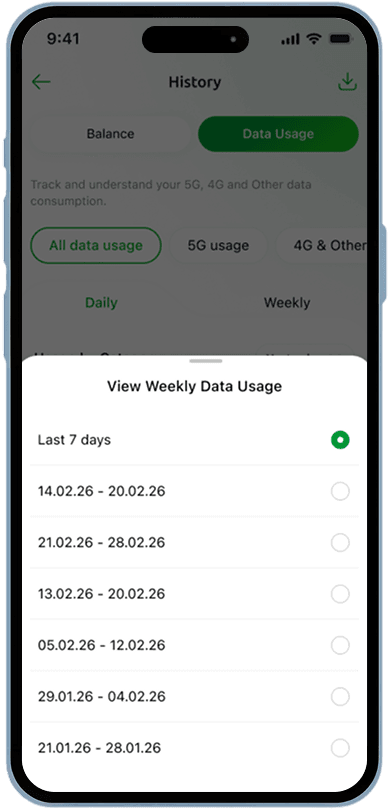
Data Period-Based Viewing
View data from a specific past period.
Data Consumption Display
The total 5G and 4G & Other usage data consumption within a selected time-frame is displayed.
Data Categories
There are 8 data categories:
- Banking
- Business communication
- Education
- Gaming
- SmartNas app
- Social media
- Streaming
- Other
*Only 5 categories will be displayed; the top 4 categories in which the most data was used will be displayed, while all other data usage will be grouped into the “Other” category.
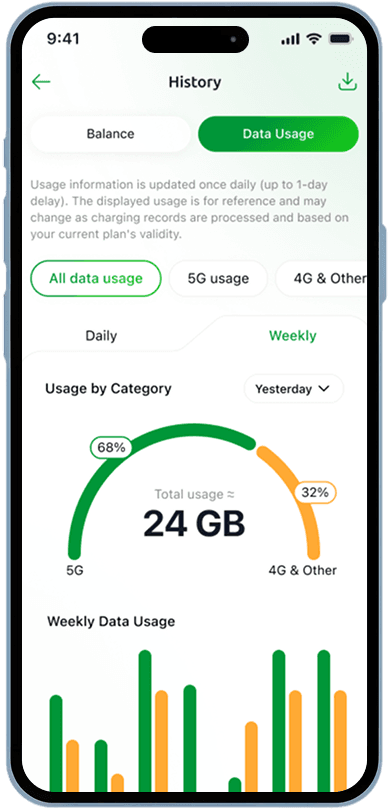
Bar Graph
The bar graph is displayed when the “Weekly” filter is selected.
- The data displayed will be as per the selected range.
- The green bars represent 5G data usage.
- The yellow bars represent 4G data and any other network generation data usage.
When a specific date is selected, it will show a summary of 4G and 5G data consumption.